

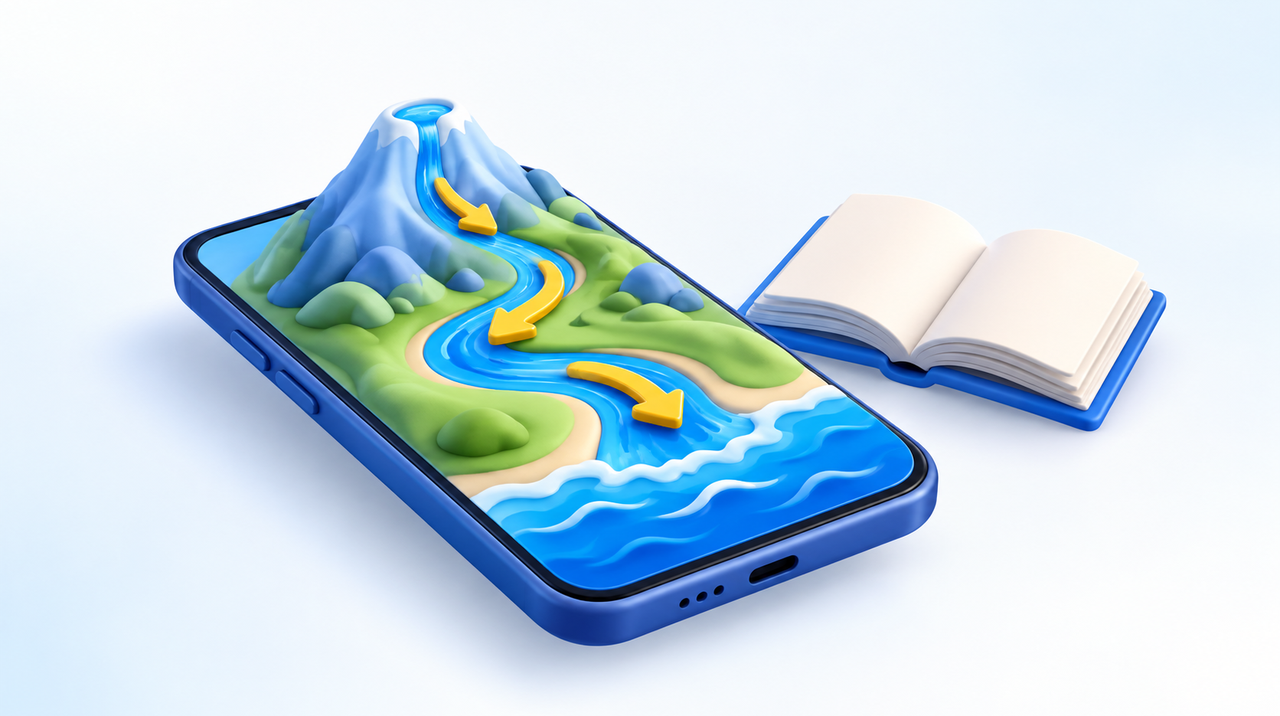
Augmented reality in the classroom works when it solves something a textbook can't: showing, in the space of the classroom, a process that is too large, too slow or too distant to be seen. The path of water from the spring to the sea is the perfect example, and it works as a blueprint for building your first lesson with no app, no lab and the phones students already have.
This article grew out of a request that came through our agency's contact form: a master's researcher wanted to use augmented reality to help students understand the connection between rivers and the sea, including in schools far from the ocean. It is one of the best-formulated questions we have received on the subject, because it starts from the learning problem rather than the technology. We will use this case as the thread of the step-by-step guide.
What augmented reality solves in a lesson, and what it doesn't
Research on the subject is now substantial enough to move past guesswork. A meta-analysis published in 2019 in the journal Educational Research Review (Garzón and Acevedo) pooled 64 quantitative studies, with 4,705 students, published between 2010 and 2018, and found a medium effect of augmented reality on learning gains (d = 0.68). In classroom terms: it is not a miracle, but it is a consistent gain, comparable to that of well-known good teaching practices.
Two caveats come with that number. The first is that it measures lessons designed around the technology, not the effect of "turning on the camera" in just any lesson. The second is novelty: the first few times, any different resource holds attention, and part of the enthusiasm fades once the class gets used to it. That is why the right question is not "does augmented reality teach better?" but "which part of this lesson can't students imagine on their own?"
It tends to be worth it in three situations:
- Scale: things too large to fit in the classroom, such as a river basin, a volcano or the solar system, or too small to see, such as a cell.
- Time: processes that take years or centuries, such as the erosion of a riverbank or the silting of an estuary, compressed into a few seconds.
- Distance: places the class has never visited. For students living inland, the sea is an idea; a scale model on the classroom floor turns that idea into a journey.
Outside of these cases, a video or a good illustration usually does the job with less work.
Do you have a lesson or teaching material that calls for a 3D scene?
We create the model, the animation and the augmented reality link that opens on students' phones, with no app.
The example: the river's path to the sea
The connection between river and ocean is not a minor detail: it is one of the foundations of so-called ocean literacy, the set of seven principles that UNESCO uses to guide ocean education. The first principle states that the Earth has one big ocean, and among the concepts that detail it is the statement that all of the planet's major river basins drain into the ocean. The same text notes that rivers and streams carry nutrients, salts, sediments and pollutants from the basins to the estuaries and the sea.
In other words: the sewage, trash and soil that go down a river inland reach the coast, even hundreds of kilometers away. This is exactly the kind of relationship students understand best when they see the water travel the whole way.
In Brazil, the example has scale to spare. According to the European Space Agency, the Amazon River's discharge accounts for about one fifth of all the fresh water that the continents pour into the ocean, and its mouth, a labyrinth of channels, is around 270 kilometers wide. The plume of brown sediment advancing over the Atlantic shows up in satellite images, which make excellent supporting material to close the lesson.
The topic also fits the calendar: the United Nations declared 2021 to 2030 the Decade of Ocean Science for Sustainable Development, and in Brazil the Escola Azul program, coordinated by Unifesp with the Ministry of Science, Technology and Innovation and UNESCO, recognizes schools that bring the ocean into the curriculum. An augmented reality lesson about the river basin of your own region is a project that fits this agenda.
Step by step: building your first lesson
1. Write the question the scene answers. Before thinking about 3D, define one sentence: "where does the trash we throw in our city's river go?" The scene exists to answer that question, and anything that doesn't help answer it gets cut.
2. Split the journey into four stops. Spring, river course (with a city and farmland on the banks), estuary and open sea. Four short scenes of 10 to 20 seconds each work better than one long animation. Students can tap to advance and discuss each stop with their group before the next.
3. Show what travels along with the water. This is where the lesson gains substance: sediment particles, nutrients and, if the goal is environmental education, a plastic bottle floating down the river from the city. Using a different color for each material helps the class follow the route.
4. Choose the model format. To open in the phone's browser, the standard is the GLB file, which carries geometry, texture and animation in a single file. If your model comes in another format, our article on which 3D format to use explains the differences.
5. Put a QR code on the lesson material. Students point the camera at the code, the page opens in the browser and the scale model appears on the classroom floor or on top of the desk. There is no app to install, which matters a great deal in schools, where nobody wants to ask for 30 installations and 30 permissions.
6. Test on the students' devices, not yours. The teacher's phone is almost never the worst phone in the room. Test on two or three older devices before the day of the lesson.
Students' phones: what works and what gets stuck
Augmented reality that opens through the browser uses the phone's own system AR. On Android, the device must be on Google's list of ARCore-compatible devices; simply having a recent version of Android is not enough. On iPhone, it works from the iPhone 6s onward. Students with a device outside these conditions are not left out if the page offers a second option: the same 3D model rotating on the screen, by finger, with no camera.
Three habits prevent most problems on the day:
- Open the link in Chrome or Safari. A link opened inside WhatsApp or Instagram does not trigger the device's augmented reality. If the QR code is sent by message, tell the class to open it in the browser.
- Work in groups. One compatible phone for every three or four students solves the device inequality and also sparks conversation about what each person is seeing.
- Pick the right floor. The phone needs to recognize the surface: a floor with some texture and good light works better than a white, glossy table. Moving the device slowly for two or three seconds before placing the scene helps anchor it.
We detail the requirements and options for basic devices in our article on augmented reality on basic phones.
QR on paper or pointing at the book's picture?
There is another way to trigger the scene: the phone recognizes the page's own illustration and the scale model appears on top of it. It looks great, but in our tests the model attached to the image jittered, while the same model placed on the floor stayed stable. For a river basin model, which needs to stay still while the group discusses it, the safest path is the QR code with the scene on the floor. The printed image works well as a trigger; as an anchor, it depends on matte paper, a flat page and good light. We compare the two approaches in detail in our article on books with augmented reality.
A note on wording also avoids frustration: tell students that the model "appears in the classroom space," not that it appears at real size. An entire river basin fits on the floor precisely because it is a miniature, and that is part of the fun.
Who builds the model and how much it costs
There are three paths, from the cheapest to the most tailored:
- Ready-made model. There are 3D model libraries with licenses that allow educational use. This works for generic topics, such as a volcano or the human body, but you are unlikely to find a model of your own region's river.
- Publishing platform. Once you have the model, a browser-based augmented reality platform generates the link and the QR code. Ours, WebAR, has a free plan with one model for 7 days, enough to test a lesson.
- Custom model. When the lesson depends on the real place (the city's river, the river mouth the class knows), the model is created from scratch, with animation of the four stops. The price depends on the number of scenes and the level of detail; we explain what affects the budget in how much it costs to create augmented reality.
For school or research projects, it pays to start small: one scene, one class, one question. If it works, the other stops can be added later.
Mistakes that sink a lesson
- A scene that is too long. A two-minute animation turns into a video; the class stops exploring and starts waiting.
- Text inside the scene. Small letters floating in space are hard to read on a phone. The explanation stays with the teacher and the activity sheet.
- No plan B. School Wi-Fi went down, or half the devices aren't compatible? Have the rotatable model on screen and a short video of the scene ready.
- Technology in place of conversation. Augmented reality opens the discussion; what closes it is the question from step 1, answered by the students in their own words.
If the lesson is part of a research project
For those in a master's or doctoral program, the lesson can become data. The simplest design is to give the same questionnaire before and after the activity, and compare it with a class that had the same lesson with an illustration or a video. Also record what doesn't show up in the test: how many devices worked, how long the class took to open the scene and what questions arose in the groups. These numbers help separate the effect of the lesson from the effect of novelty, which is precisely the weakness pointed out in the meta-analyses.
If you are planning a lesson, a textbook or an exhibition with augmented reality, our team can help you choose the path, create the model and test it on the devices your audience actually uses. See how we work on the augmented reality page or explore our 3D modeling and animation projects.
Frequently asked questions
Do I need an app to use augmented reality in the classroom?
No. With a QR code that opens a page in the browser, the phone uses the augmented reality built into its own system. Just open the link in Chrome or Safari, not inside WhatsApp or Instagram.
Does augmented reality really improve learning?
The 2019 meta-analysis by Garzón and Acevedo, covering 64 studies and 4,705 students, found a medium effect on learning gains. The effect comes from lessons designed around the technology, not from the tool on its own, and part of the initial excitement is a novelty effect.
Which phones work?
On Android, devices on Google’s ARCore compatibility list. On iPhone, the iPhone 6s and later. For anyone without a compatible device, the page should show the same 3D model rotating on screen, without the camera.
How can I teach the connection between the river and the sea with augmented reality?
Split the journey into four short scenes (source, river course, estuary and sea) and show what travels with the water: sediment, nutrients and trash. The scene appears on the classroom floor through a QR code, and each group discusses one stop before moving on.
Is it better to use a QR code or point the camera at a picture in the book?
For scenes that need to stay still, a QR code with the scene on the floor is more stable. Recognizing the picture in the book looks great, but the model tends to jitter and depends on matte paper, a flat page and good light.
How much does it cost to create a lesson with augmented reality?
It depends on the model. With a ready-made model and a platform with a free plan, the cost can be zero for testing. A custom model, such as the river of a specific region, is priced by the number of scenes and the level of detail.