

What is a School 3.0 and how technology supports learning
A School 3.0 uses digital resources to expand teaching possibilities, encourage student participation, and develop competencies that are essential for today's world. This does not mean replacing teachers, books, or in-person activities. The goal is to offer new tools for researching, creating, testing ideas, and solving problems.
Artificial intelligence, programming, robotics, augmented reality, and virtual reality can complement the curriculum when applied with clear pedagogical objectives. The value lies not only in the equipment, but in the activity the teacher is able to develop with it.
Educational technology with intentionality
Before choosing any tool, the school needs to define what it intends to develop. A programming activity can work on logic and persistence. Assembling a robot can foster collaboration, planning, and inquiry. An immersive experience can help students visualize phenomena that would be difficult to observe in the classroom.
The resource must be appropriate for the age group, the subject matter, and the class's level of autonomy. When technology appears solely as entertainment, its educational potential diminishes. When there is a question, a challenge, and subsequent reflection, the experience becomes meaningful.
How can artificial intelligence support teachers?
AI can assist with organizing ideas, creating examples, adapting activities, and preparing materials. The teacher remains responsible for evaluating quality, adjusting language, and verifying information.
Students also need to learn how to use these tools responsibly. This includes understanding limitations, protecting personal data, recognizing dubious content, and avoiding the presentation of automated responses as their own work. AI literacy must combine practical use and critical thinking.
Robotics and programming in school
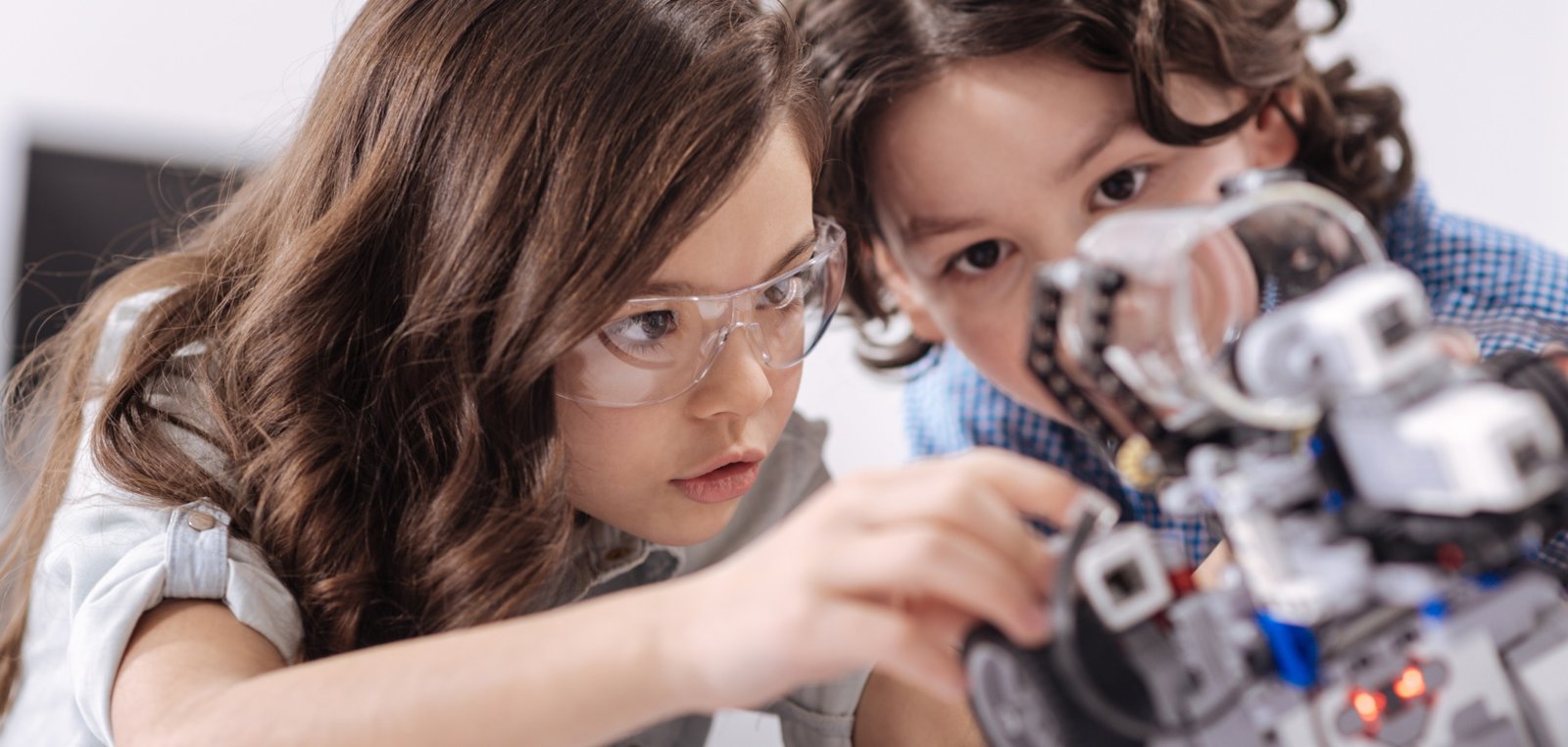
Programming teaches students to break a problem into steps, test solutions, and correct errors. In robotics, these instructions produce visible results: sensors perceive the environment, motors execute movements, and the prototype responds to the code created by the team.
Projects can start with simple challenges and evolve gradually. More important than assembling a complex device is allowing students to formulate hypotheses, experiment, and explain their decisions.
Virtual and augmented reality in education
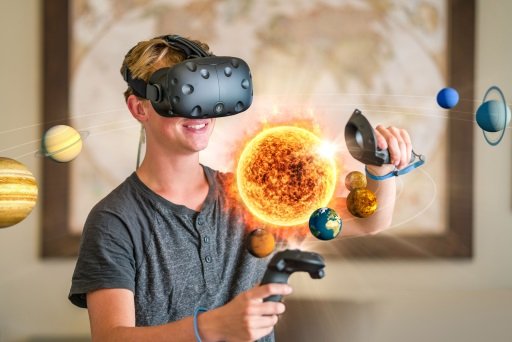
Augmented reality can project three-dimensional models onto teaching materials or within the classroom itself. Virtual reality allows exploration of a digital environment in 360 degrees. Both technologies support the visualization of scales, structures, and settings that are not physically available.
After the experience, the teacher can propose questions, records, comparisons, and practical activities. In this way, the resource ceases to be an isolated attraction and becomes part of a learning sequence.
Digital whiteboard: the equipment used in every lesson
Robotics and virtual reality are occasional activities with a set slot. The digital whiteboard is the only piece of equipment in the program that takes part in every lesson — which is why it is the one the school community notices most, for better and for worse.
An interactive digital whiteboard is a touch panel that replaces the whiteboard and the projector: it opens content, accepts handwriting, keeps what was produced during the lesson and hands that record back to students afterwards. We now implement digital whiteboards in the schools on the program, taking care of choosing the equipment, installing it, integrating it with the management software and training the teachers.
What decides the outcome is not the brand of the panel, it is the use. A board where only the teacher writes is still a School 2.0 with a bigger screen; it becomes a 3.0 class when students come up to solve on the panel, when the group builds the reasoning together, and when the record of the lesson reaches the study material.
Before buying, check the panel size against the depth of the room, brightness and anti-glare treatment, how many simultaneous touch points it accepts, which operating system it runs and for how many years it receives updates, whether the essential functions work offline, the warranty and local support, and the mounting height — the screen has to stay within reach of a student in a wheelchair.
Teacher training
Implementation depends on the involvement of the teaching staff. Teachers need time to explore the tools, understand their possibilities, and plan applications. Effective training should include hands-on activities, subject-specific examples, and support following the initial session.
It is advisable to start with small projects, observe how classes respond, and expand the program progressively. Exchange meetings among teachers help share experiences and reduce dependence on a single professional.
How to evaluate results?
Evaluation can consider participation, collaboration, ability to explain processes, problem-solving, and project quality. Not every outcome needs to be measured by a traditional test.
The school can also track activity attendance, student and family perceptions, cross-disciplinary integration, and teacher confidence in using the resources. This data guides adjustments and future investments.
Frequently asked questions about School 3.0
Does the entire curriculum need to change? No. The program can complement subjects, projects, and after-school activities.
Can any teacher use the tools? Yes, provided they receive adequate training and materials. It is not necessary for everyone to be a programming specialist.
Does technology replace the teacher? No. The teacher guides, contextualizes, questions, and monitors student development.
How do you get started? The ideal approach is to identify objectives, available infrastructure, the age groups served, and staff availability before selecting solutions.
Preparing for a world in transformation
An innovative school is not one that accumulates equipment, but one that creates conditions for students to learn actively. Educational technology, teacher development, and pedagogical purpose must go hand in hand. In this way, the School 3.0 can foster curiosity, creativity, collaboration, and autonomy without losing the human dimension of education.
How to implement the program in stages
A gradual implementation makes it easier for the school itself to learn. The initial assessment can document infrastructure, connectivity, equipment, teacher experience, and projects already carried out. It should also consider student age, number of classes, and available time.
With this overview, the institution selects a pilot activity. The goal is not only to test whether the equipment works, but to observe how the proposal fits into the routine: preparation time, group organization, questions raised, and assessment methods. The next stage incorporates adjustments and broadens the scope.
A realistic calendar prevents all new elements from arriving at once. Teachers need the opportunity to practice and adapt resources. It is preferable to make effective use of one tool across different projects than to introduce several technologies without continuity.
Project-based learning
Robotics, programming, and digital fabrication pair well with projects that begin with a problem. The class can research a school need, propose solutions, build a prototype, and present results. Throughout the process, opportunities arise for mathematics, science, language, arts, and social-emotional skills.
The teacher sets boundaries, resources, and guiding questions. Students divide tasks, record hypotheses, and justify choices. The final product matters, but the journey offers valuable evidence: how the team responded to an error, sought information, and revised its proposal.
The role of error in programming and robotics
When a program does not execute as expected, the student must observe, locate the cause, and test a correction. This debugging process shows that making mistakes can generate information. To be formative, the environment must allow attempts without humiliation and value the explanation of reasoning.
Challenges can offer different levels, preventing beginners from becoming stuck and keeping more experienced students engaged. Pair or team work should alternate roles so that one person does not always control the equipment while others merely watch.
Digital citizenship, privacy, and responsible use
Educational technology also requires rules for conduct and protection. The school must assess what data the tools collect, how it is stored, and whether individual accounts are truly necessary. Personal information belonging to children and adolescents deserves special attention and decisions aligned with the institution's standards and policies.
Students can learn to create strong passwords, recognize fraud attempts, evaluate sources, and respect authorship. When using AI, they should distinguish between research, assistance, and original production. The teacher can ask them to explain how they used the tool, which responses they discarded, and how they verified the result.
It is not productive to treat every technology as an automatic solution or an inevitable threat. Critical education teaches students when to use technology, when not to, and what consequences to consider.
Inclusion and accessibility in activities
Projects should offer different forms of participation. One student may program, another may document, assemble, research, or present. Interfaces with contrast, captions, and adjustable controls broaden access. Activities requiring movement or stereoscopic vision can include equivalent alternatives.
Adaptation does not mean reducing the learning objective. It means allowing students to demonstrate knowledge through pathways compatible with their needs. The teaching staff should be involved in these decisions.
How to involve families
Families can get to know the program through showcases, workshops, and project presentations. It is important to explain what students learned, not merely display equipment. A moving robot draws attention; the description of the problem, the attempts made, and the collaboration demonstrates the pedagogical value.
Communications should clarify rules regarding images, accounts, AI tools, and usage time. Transparency reduces unrealistic expectations and opens space for legitimate questions.
Infrastructure and equipment management
Beyond purchasing, the school must plan for storage, charging, updates, inventory, and parts replacement. Connectivity must be tested in the locations where the tools will be used. Materials should be available before class begins so as not to consume instructional time.
Support contacts must be clearly identified, but the program should not depend on a single individual. Brief manuals and troubleshooting procedures help staff handle common situations.
Indicators for school management
Enrollment figures and perceived value can be monitored, but they are not the only outcomes. The school can track the number of projects, teacher adoption, student participation, interdisciplinarity, and the evolution of student work.
Narratives and portfolios complement numbers. A good report records the objective, the activity, evidence of learning, and improvements for the next edition. These records help justify continuity and share practices.
Questions for evaluating a School 3.0 proposal
What pedagogical objectives does each resource address? Does the training include hands-on practice and ongoing support? Can the materials be adapted? How do maintenance, updates, and support work? What data is collected? Are accessible alternatives available? How does the program integrate with the pedagogical project?
Clear answers help compare proposals beyond the list of equipment. The most appropriate solution is the one the team can incorporate into their routine with purpose.
Innovation that becomes culture
The program matures when it ceases to depend on isolated events and becomes part of ongoing planning. Teachers share experiences, students take on progressively greater challenges, and leadership uses evidence to make decisions. In this way, innovation is not merely novelty: it is a continuous capacity to learn, test, and improve.
Custom software to run the school
Beyond the equipment and the training, we build custom software for the school. The platform manages all students in one place — classes, performance and individual progress — and provides a personalized AI for each student that follows their pace, spots difficulties and suggests the next study step.
The same platform grades tests automatically. The time teachers used to spend on repetitive tasks goes back to where they are irreplaceable: the human, socio-emotional support of students, classroom mediation and care for those who need extra attention.