
On November 10, 2026, OpenAI launched "Businesses in ChatGPT" in beta: a space where a company claims its own profile inside ChatGPT, corrects its details, and sees how many times it has been cited in answers. It is the first time a business owner has an official dashboard for how they appear in an AI. The announcement was made with the United States in mind, and much of what is new still applies only there. Below, what already works for a company in Brazil or any other country, the step-by-step process, and what OpenAI itself says won't help.
What OpenAI launched
ChatGPT was already talking about companies before this announcement. When someone asks "which florist delivers on Sunday in Campinas" or "which management system works for a small clinic," the answer cites names, addresses, and websites that the AI gathered from public sources. The difference is that, until now, the owner had nowhere to check or correct what appeared.
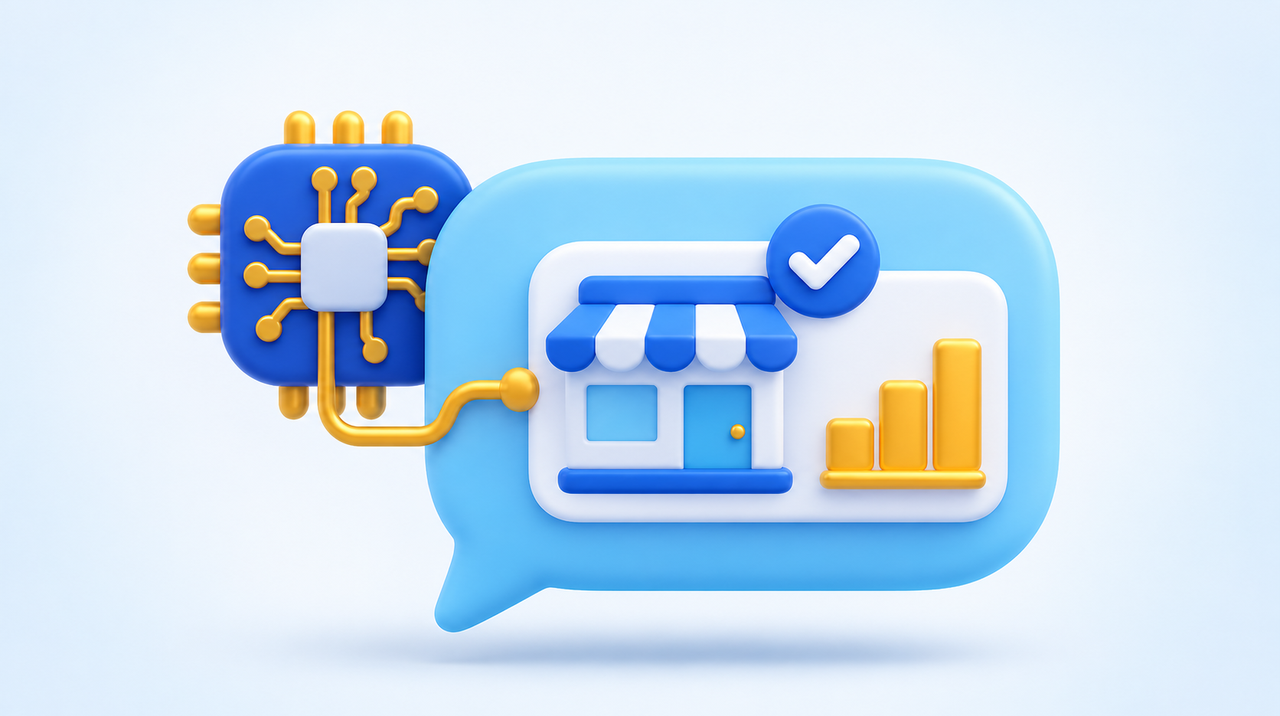
The launch has three pieces, all gathered in one place called the Business Hub, located in the ChatGPT sidebar:
- Business profile. After proving they represent the business, the owner updates the website, description, category, logo, cover photo, and delivery and return policies. Those who sell products can connect a product list with prices and stock.
- Numbers. The dashboard shows mentions, clicks to the website, and the most common themes in the answers where the company appeared, always totaling the last 28 days.
- The company's AI agent (the "Business Agent"). A separate conversation, identified as belonging to the company, that answers questions about products and policies using the information the owner has registered.
According to OpenAI, ChatGPT is used by 1.2 billion people per week. Even if only a fraction ask about products and services, it is too big a storefront to leave with wrong data.
What already works outside the United States
This is the point most news coverage skips. OpenAI's help text separates what applies in each case, and the answer depends on two factors: where the company is and what type of company it is.
- Claiming a profile that already exists: any eligible company, in a country where ChatGPT works and where verification is accepted, can try. Brazil is among the countries where ChatGPT works.
- Creating a profile that doesn't exist yet: an online business (online store, service delivered over the internet) may see the option to add the company. OpenAI says this depends on the location and type of business, with no fixed list.
- Physical stores and restaurants: for now, they can only claim profiles that already exist in the United States. The bakery in Belo Horizonte has no way in yet.
- AI agent: only for online stores and online services with a website, based in the United States, and still subject to rules by line of business.
In short: those who sell over the internet can already test it; those who serve customers at a counter should keep an eye on it. OpenAI itself writes that it intends to bring the feature to more countries and categories, with no date.
Your company may already have a profile you didn't create
The most useful detail appeared in an account from an online-services business owner in the United States who claimed their profile on the night of the launch and published every screen. When searching for their own company name in the Business Hub, they found a ready-made profile, with a name, a directions button, and an address. The address was the one on the company's registration, not the place where they work. Nobody had asked them anything: ChatGPT built the profile from what it found in public sources.
It is the same phenomenon we described in what AI says about your company: AI talks about your business with or without your participation. What's new is that there is now an official place to see that draft. Even if you can't edit anything yet, searching for your company name in the Business Hub shows what ChatGPT already thinks it knows.
Step-by-step: how to claim
- Choose the right account before you start. The profile is tied to the ChatGPT account that made the request. Use the account of the owner or person responsible for the company, not the intern's or a vendor's. The free plan works: no subscription or ads account is required.
- Open the Business Hub in the ChatGPT sidebar and search for the company by name.
- Select the right profile and confirm the account. In this step you accept the terms of service; read them first.
- Choose how to prove the connection. The options vary by company: a code by text message or call to the business phone, a code to the business email, a TXT record in the DNS of the website's domain, or login to the Shopify store. If someone else manages the domain, ask them to add the record exactly as it appears on the screen. In the account cited above, the record was valid for about 24 hours.
- Wait for the review. There is no instant approval. OpenAI reviews the request and replies by email.
- Complete identity verification. To edit details, see the numbers, or create the agent, you must go through Persona, a company that checks documents for OpenAI. It may ask for an official photo ID, the company's registration data, and proof that you represent it. For a Brazilian company, keep on hand a photo ID, the CNPJ card, and the articles of incorporation. OpenAI recommends that name, address, and registration number match the official documents exactly: spelling differences are a common reason for rejection.
Two warnings from the documentation worth reading before you click. If you use Persona to create a new profile, approval publishes the profile right away, with no review step. And a published profile cannot be deleted or hidden by OpenAI support; only drafts can be deleted.
Before claiming: can ChatGPT read your website?
The Business Hub visits the website you register in the profile. If the server blocks OpenAI's bots, that visit fails with no warning on your site. The same American account reports that the hosting server answered "access forbidden" to ChatGPT's bots while Google got in normally.
We found a similar problem on our own site the day before the launch, and we told the whole story in your site may be blocking ChatGPT without you knowing. The quick test takes a minute: open ChatGPT without being logged in and ask "open exactly this page and summarize it in three bullet points; if you can't open it, tell me which error appeared," followed by your website's address. If it won't open, fix that first. Claiming the profile does not fix a site that the AI cannot read.
What the dashboard numbers mean
The dashboard is the most interesting part for anyone doing marketing, and also the easiest to misread. The documentation defines each number:
- Mention, for an online business: counts when ChatGPT cites the company's website. Saying only the brand name does not count.
- Mention, for a local business: counts when ChatGPT shows that address as a result, even if the person doesn't open the profile or visit the website.
- Clicks: how many times someone clicked to go to the website.
- Discovery themes: common topics in the answers that cited the company. They don't show anyone's question or measure purchase intent.
OpenAI does not provide conversations, not even those held with the company's own agent. And the dashboard only shows numbers after activity passes a minimum. A blank field doesn't mean zero: it may be low volume, data still being collected, or a report that is unavailable. Anyone who claims a profile this week will probably see an empty dashboard for a while, and that is not a sign that the company is invisible.
The first practical consequence is that, for online businesses, the website becomes the unit of measurement. If ChatGPT talks about your brand but cites a marketplace page or a review site, that does not count as a mention of yours. Having your own pages that answer customers' questions becomes even more important.
What won't help
- Expecting more recommendations just from claiming. OpenAI is explicit: claiming lets you manage the information, but it does not guarantee more visibility or give you control over ChatGPT's recommendations.
- Paying for ads to improve the answer. According to the company, ads do not influence ChatGPT's independent answers. The ad appears separately and labeled, as we explain in ChatGPT became a search engine and already sells ads.
- Thinking the correction will show up the next day. Changes go through review and may take time to appear, and ChatGPT continues to use other sources. If your listing on other sites is wrong, the error may persist.
- Claiming the headquarters and expecting the branches to come along. Each brand is managed separately, and claiming the main brand does not claim the addresses.
- Expecting the agent to close a sale. Even in the United States, it explains products and policies and sends the customer to the website. It does not complete purchases, schedule appointments, or look up orders.
Is it worth doing now? The criterion
The question that decides it is: does your company sell over the internet or serve customers at a counter?
If you sell over the internet (online store, course, software, remote consulting), it is worth getting in now. Search for the company, see whether the profile exists, and try to claim or add it. The cost is an hour of work and a document. In return, you correct whatever is wrong before more people read it and start building history in the dashboard, which will serve as a comparison when competitors arrive.
If you serve customers at a counter (restaurant, clinic, salon, street shop), there is still nothing to claim outside the United States. Use the time to get your house in order: what ChatGPT uses to talk about local businesses today comes from public sources, and the main one is usually the Google profile. The step-by-step is in how to appear at the top of Google Maps. Name, address, phone, and hours that are identical everywhere are the best preparation for when the option opens.
In any case, complete identity verification with documents that match the official registration, and keep the profile on the account of the company's owner.
Can an agency handle this for you?
Yes, and in the right way. The administrator who claimed the profile can add colleagues and give an agency access to manage the profile or the agent, each person with their own ChatGPT account. OpenAI asks that no one pass their personal claim invitation on to someone else. In practice, this means the profile stays the company's and the agency comes in as a guest, which is the arrangement we also recommend for Google and social media.
What this means for your business
For more than twenty years, Google has had an official business profile, and it became mandatory for anyone who wants to be found on the map. OpenAI's launch is the first step in the same direction inside an AI. It is still a test, still uneven across countries, and the dashboard still shows little. But the logic has changed: appearing in ChatGPT's answers is no longer just a hypothesis and now has an official number.
If you want to know what ChatGPT says about your company today, whether your website is readable by its bots, and whether you can already claim the profile in your case, our SEO and AI answer optimization team does this assessment and delivers the list of what to fix, on your website and in the listings that AI consults.
Sources
- OpenAI, "Introducing Businesses in ChatGPT," November 10, 2026.
- OpenAI, help center, "Setting up your business on ChatGPT," read on November 12, 2026.
- Yunus Ertürk, "I Claimed My Business in ChatGPT. Here's What Actually Happens," DEV Community, November 12, 2026 (personal account, with screenshots).
Frequently asked questions
What is Businesses in ChatGPT?
It’s a feature OpenAI launched in beta on November 10, 2026, that lets businesses claim their own profile on ChatGPT through the Business Hub. Once verified, they can update their details, connect a product list, and see mentions, clicks, and the topics of the answers where they appear.
Can a business in Brazil already claim its profile on ChatGPT?
It depends on the type of business. Companies in countries where ChatGPT is available can claim existing profiles once their verification is accepted, and online businesses may see the option to add their company. For now, physical stores and restaurants can only claim profiles that already exist in the United States.
Do I have to pay to claim my business on ChatGPT?
No. OpenAI says you don’t need an ads account or an Enterprise contract, and claiming works with the free plan. To edit your details and see the numbers, you have to complete Persona’s identity verification, which requires an official ID and your company’s registration details.
Does claiming my profile make ChatGPT recommend my business more?
There’s no guarantee. According to OpenAI, claiming lets you manage your business information, but it doesn’t increase visibility or give you control over recommendations. The company also states that ads don’t influence ChatGPT’s independent answers.
What counts as a mention in the Business Hub dashboard?
For an online business, it counts when ChatGPT cites the company’s website; the brand name alone doesn’t count. For a local business, it counts when ChatGPT shows that address as a result. The numbers add up the last 28 days and stay blank until activity passes a minimum threshold.
Can an agency manage a company’s profile on ChatGPT?
Yes. The admin who claimed the profile can add colleagues and give an agency access, with each person using their own ChatGPT account. OpenAI asks that the personal claim invitation not be passed on to someone else.