
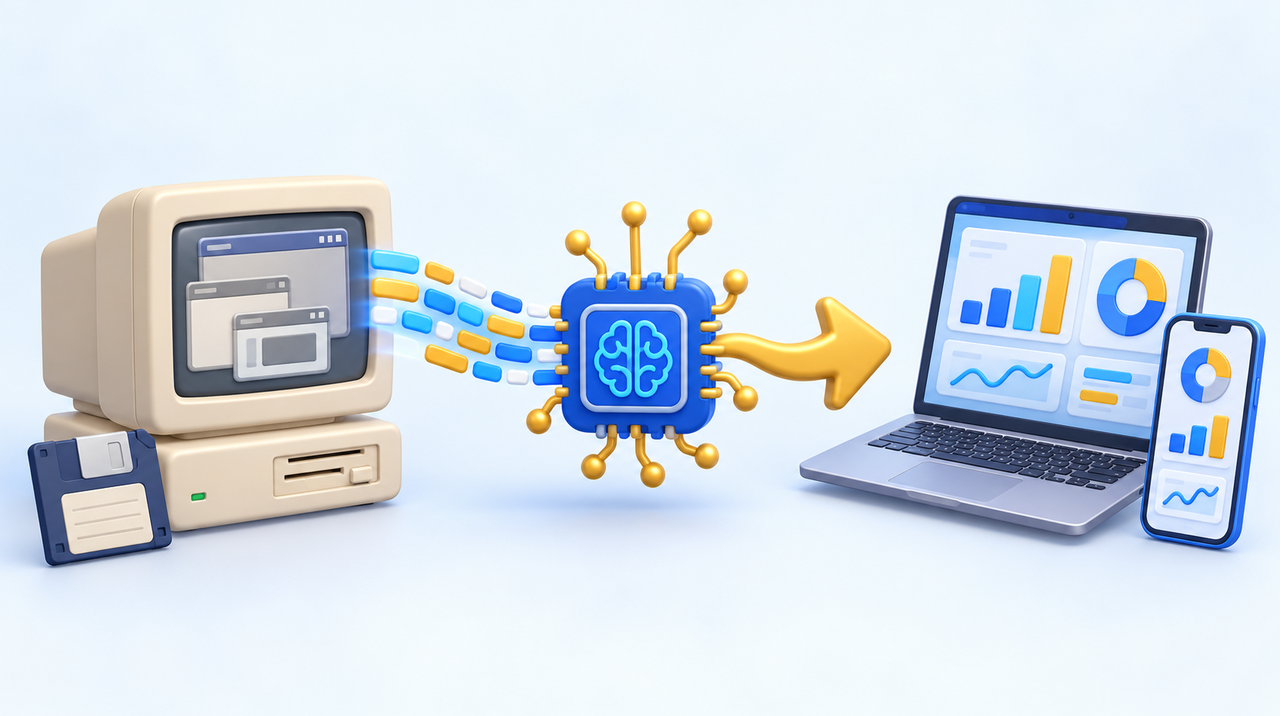
In many small and medium-sized businesses, the heart of the operation is still a program built 15 or 20 years ago: inventory control in Visual Basic, an order system in Delphi, finances in an Access spreadsheet that only opens on that one computer in the corner. It works, but nobody knows how to change it anymore, and the person who built it no longer answers the phone. On October 19, 2026, OpenAI announced that its newest models have become much better at precisely this: reading and rewriting this kind of code. Below, what has really changed, what AI still does not solve, and how to decide between keeping, migrating or rebuilding your company's system.
What OpenAI announced
The company published results from two tests with old programming languages, which have little material available for training artificial intelligence:
- Building a program from scratch in 20 languages. The test, called MultiLangBench, asks for the same database system in each language. In Visual Basic, the new model's success rate was 89.4%, versus 27.5% for the previous one. In COBOL, the language behind many banking systems, it went from 10.9% to 72.1%. In Fortran, from 21.4% to 83.5%.
- Migrating COBOL systems to current languages. The result only counts if the new program produces exactly the same output as the old one, byte for byte. The latest model got 86.6% of the tasks right, versus 5.4% for the previous one, and at a lower cost.
Two caveats, stated by OpenAI itself: the numbers are its own, measured on a test it created and published on GitHub for anyone who wants to check, and production migrations still require expert review. Even so, the leap is big. Two years ago, asking an AI to rewrite an old system produced code that looked right and failed on the details. Now, in most test cases, it gets it right.
Why this matters for a small business
An old system is rarely a problem while it works. It becomes one at three moments: when the computer it runs on breaks down, when the company needs something it does not do, such as issuing invoices in a new way, selling online or integrating with WhatsApp, and when a security flaw appears that nobody knows how to fix.
Visual Basic 6 shows the situation well. Microsoft ended support in 2008 for the tool used to create and maintain these programs, and recommends replacing them with modern technology. The programs still run on Windows 11, because the company keeps the component that executes them working, but only with critical fixes. In practice, the system runs, but every change depends on someone who still knows the language and has the old tools installed.
Until recently, modernizing meant paying someone to read thousands of lines of code, understand what each part does and rewrite everything from scratch. It was expensive and slow, so most companies put it off. What changes now is the cost of that reading and rewriting, which is increasingly done by AI, with a person checking the work.
What AI does well in this work
- Reading the code and explaining what it does. Before any decision, you need to know which rules the system applies: how it calculates a discount, when it blocks an order, how it rounds taxes. The AI reads the code and writes this in plain language, including rules nobody remembered existed.
- Translating to a current language. This is where OpenAI's tests showed the biggest progress. The new code comes out in a language that any programmer today can maintain.
- Creating comparison tests. The safest way to migrate is to run the old and new systems with the same data and compare the results. AI helps build hundreds of these cases, which used to be done by hand.
- Documenting. The new system comes with an explanation of what each part does, which frees the company from depending on a single person.
What still needs people
- Rules that are not in the code. Much of it lives in the heads of the people who use the system: "when the customer is from out of state, we adjust it by hand." The AI does not know this. Before migrating, you need to talk to the people who use the program every day.
- The data. Years of customers, orders and invoices stored in an old format must move to the new system without losing anything. This step requires verification, preferably by sampling with people who know the numbers.
- The decision on what to keep. Not everything the old system does is still needed, and much of what the company needs today it never did. Copying the old system line by line can be a waste. Sometimes it is better to take the opportunity to rebuild only what matters.
- The security of the new system. AI-generated code can also have flaws. It must be reviewed and tested like any other. We covered this in the post about AI finding security flaws faster than companies fix them, which also applies to old in-house systems.
Keep, migrate or rebuild?
There is no single answer for everyone. These questions help you decide:
- Does the system still do what the company needs? If it does and nobody asks for changes, keeping it may be reasonable for a while, as long as there is a backup of the data and of the computer it runs on.
- Can anyone change the system today? If the answer is "only the guy who built it, and he disappeared," the risk is already high. Any change in law, tax or supplier can stop the operation.
- Does it run on a single computer? A system tied to one machine is one failure away from stopping. Migrating to something that runs in the cloud or on more than one computer is usually the first gain.
- Does the company need something new? Online sales, an app, WhatsApp integration or mobile reports are signs that it is worth rebuilding rather than just translating.
- How much does one day of downtime cost? If a day without the system means a day without revenue, modernization stops being an expense and becomes insurance.
The safest path is usually in stages: first, the AI reads the system and generates documentation of the rules; then, one part at a time is migrated and compared with the old one, until the new one takes over everything. That way, the company is never left without a system.
How much it costs and how long it takes
It depends on the size and condition of the system, and be wary of anyone who quotes a price without looking at the code. What can be said is the direction: the most expensive part of a modernization has always been understanding and rewriting the code, and that is exactly the part AI has shortened. Talking with users, migrating data and testing still take time, but a project that once seemed too big for a small company may now fit the budget.
A good first step, inexpensive and with no commitment to migrate, is the diagnosis: hand over the code for reading and get back documentation of what the system does, the risks and the options. That alone brings the company out of the dark.
How we work
At our agency, we start by reading the old system with the help of AI, document the rules with the people who use the program every day, and only then propose the path: keep it with security measures, migrate in stages or rebuild what makes sense. If your company depends on an old system, learn about our custom software development.
Sources
- OpenAI, October 19, 2026 announcement on programming in languages with little training data (COBOL, Fortran, Visual Basic), with MultiLangBench published on GitHub.
- TechBriefly and AI Watch coverage (10/20/2026) of the COBOL migration results.
- Microsoft, Visual Basic 6.0 support statement on Windows.
Frequently asked questions
Can AI modernize a legacy system on its own?
Not on its own. In October 2026, OpenAI showed that its new models get most tasks right when rewriting systems written in older languages, but the company itself says real-world migrations still need review by specialists. AI speeds up reading, translating and testing; the rules that aren’t in the code, the data migration and the final review still belong to people.
Does my Visual Basic 6 system still work on Windows 11?
In general, yes. Microsoft keeps the runtime that executes Visual Basic 6 programs working on Windows 11, but only with critical fixes. The tool for creating and changing those programs hasn’t been supported since 2008, and Microsoft itself recommends replacing them with modern technology.
Is it better to migrate or rebuild the old system?
If the system still does everything the company needs, translating it to a current language is usually enough. If the company needs new things, such as online sales, an app or WhatsApp integration, it’s worth rebuilding while reusing the rules from the old system. In both cases, the safest approach is to work in stages, comparing the new system against the old one.
How much does it cost to modernize a legacy system with AI?
It depends on the size and condition of the code, and a price can’t be given without looking at the system. AI has reduced the most expensive part, which is understanding and rewriting the code. An inexpensive first step is the assessment: reading the system and documenting what it does, the risks and the options.
What are the risks of migrating a legacy system?
The main ones are losing business rules that nobody documented, losing or corrupting data during the transfer, and introducing security flaws in the new code. To reduce the risks, talk to the people who use the system, compare the results of the old and new systems using the same data, and review the generated code.
What should I do if nobody knows how to work on the company’s system anymore?
Back up the data and the computer where the system runs, and ask for an assessment of the code. With the rules documented, the company stops depending on a single person and can calmly decide whether to keep, migrate or rebuild.